Find My Pet App
Find My Pet is an app that helps pet owners locate lost pets. It has two main components: a collar with a GPS-enabled tag that continuously transmits the pet’s location, and an app with a mapping system to track it.
My Role: User Researcher, UX/UI Designer Platform: App Design Tools Used: Figma, Miro Research Support: AI-assisted, bias-aware research
Design Deliverables: In-depth user research Actionable key user insights High-Fidelity UI
Design process Quick Links:
Introduction: This case study, completed as part of User Experience: The Ultimate Guide to Usability and UX by David Travis—an internationally recognised usability consultant, trainer, and author—demonstrates how I applied a proven user-centred design framework and usability testing to create an intuitive, enjoyable pet safety app.
Challenges: Users struggled to articulate emotions during high-stress moments, like losing a pet.
Designing a calm, intuitive interface for panic-filled scenarios was essential.
Existing tracking apps lacked transparency about features, battery life, and GPS accuracy.
01 Research & Discovery Phase
After developing a research plan and conducting user analysis, I identified key knowledge gaps and translated them into actionable insights. These insights guided the creation of user-centered solutions that address real user needs while aligning seamlessly with business goals.
Home screen Prototype
The primary goals of user research were to:
Understand the everyday experiences of pet owners
Explore their routines, responsibilities, and emotional connection with their pets to identify key behaviours and motivations.
Identify pain points related to pet safety and loss prevention
Uncover fears, past experiences, and current challenges users face in keeping their pets safe and secure.
Evaluate the perceived usefulness of a pet safety app
Gauge user interest in the app concept and understand what features they would find valuable or necessary.
Define the main user group and their specific needs
Pinpoint the core demographic likely to benefit most from the app and tailor solutions around their expectations.
Generate insights to inform user personas and design decisions
Use qualitative data from interviews to create realistic personas and guide the development of user-centered features and flows.
User Personas
Why: To establish a shared understanding of core users and guide design decisions with real user motivations in mind.
Result: Clarified key user goals and behaviours, ensuring features addressed needs like rapid response, emotional reassurance, and trust during emergencies.
Ethical Research & Bias Minimisation
During interview planning, I used ChatGPT to improve question neutrality and clarity. AI helped identify potential biases—such as leading wording, built-in assumptions, emotional phrasing, and question order effects—that could unintentionally shape participant responses. I refined all suggestions manually to align with UX research best practices, ensuring interviews were ethically grounded and captured authentic user insights that informed product decisions.
-
Name/Age/Relationship status/Place of residence (Flat, house etc.)
What do you do for work?
Computer/Technical experience. (Computer literacy, technical background).
What kind of pet do you have? (Age, breed, more about personality, character).
Do you think this app would be useful for pet owners and why?
Do you have any fears or past accidents of losing your pet? Describe them.
What kind of features would you like to have in the app?
What kind of people would find this app useful, main user group?
How do you prevent the loss of your pet?
Lean Personas
Why: To capture essential behaviours and goals without overloading documentation, enabling flexibility and quick iteration.
Result: Provided a focused reference for decision-making, allowing prioritisation of features effectively and adapt as insights evolved.
User Stories
Why: To translate research into actionable, outcome-focused requirements from the user’s perspective (e.g., "As a pet owner, I want to get a real-time alert if my pet leaves a safe zone, so I can take immediate action.").
Result: Ensured every feature addressed a validated user need, keeping design decisions aligned with real-world scenarios and measurable value.
Red Routes
Why: To identify and prioritise the most critical tasks that define product success.
Result: Focused design on high-impact journeys—such as escape detection, live tracking, and alerting others—maximising MVP value while reducing friction.
Affinity Sorting
Why: To synthesise qualitative research into clear patterns and actionable insights.
Result: Revealed recurring themes such as emotional urgency, reliance on community, and device trust, directly informing feature prioritisation and strategy.
02 Iteration
From Research Insights to Feature Decision
How Research Informed the Final Feature Set
Extensive user research — including user stories, affinity mapping, user personas, lean personas, and Red Route analysis — revealed a consistent set of needs that guided every major feature decision. Together, these insights shaped an experience optimised for high-stress, time-critical situations such as lost-pet emergencies.
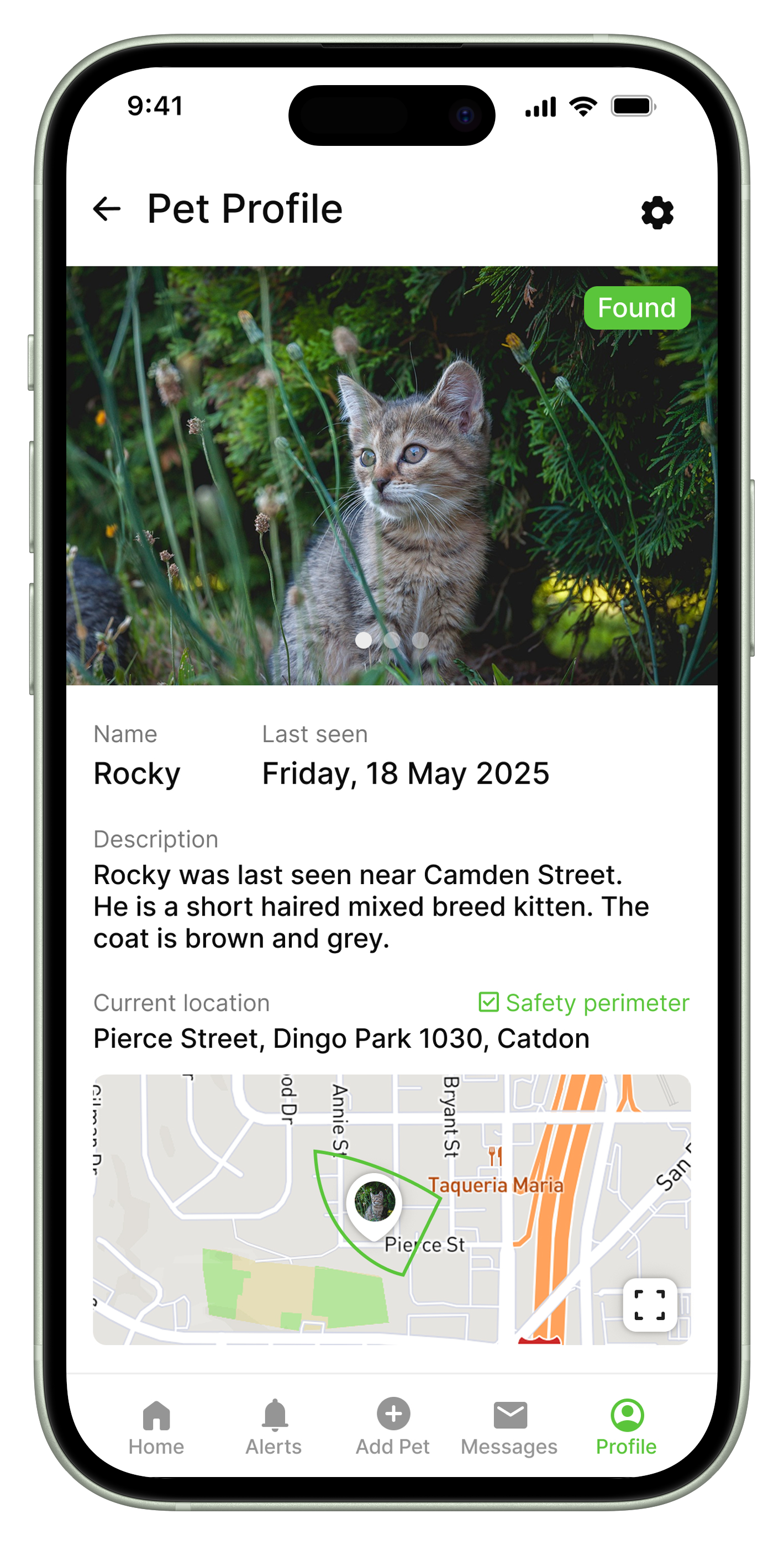
Pet Profile screen Prototype
1. Perimeter Alerts
Research Insight: Users need immediate awareness when a pet escapes, as these moments are high-priority and high-stress.
Iteration: Introduced instant notifications triggered the moment a pet leaves its defined safety perimeter.
2. Live Location on Map
Research Insight: Continuous visibility and precise tracking are essential to reduce panic and accelerate recovery.
Iteration: Built a real-time GPS map showing live movement and exact pet positioning.
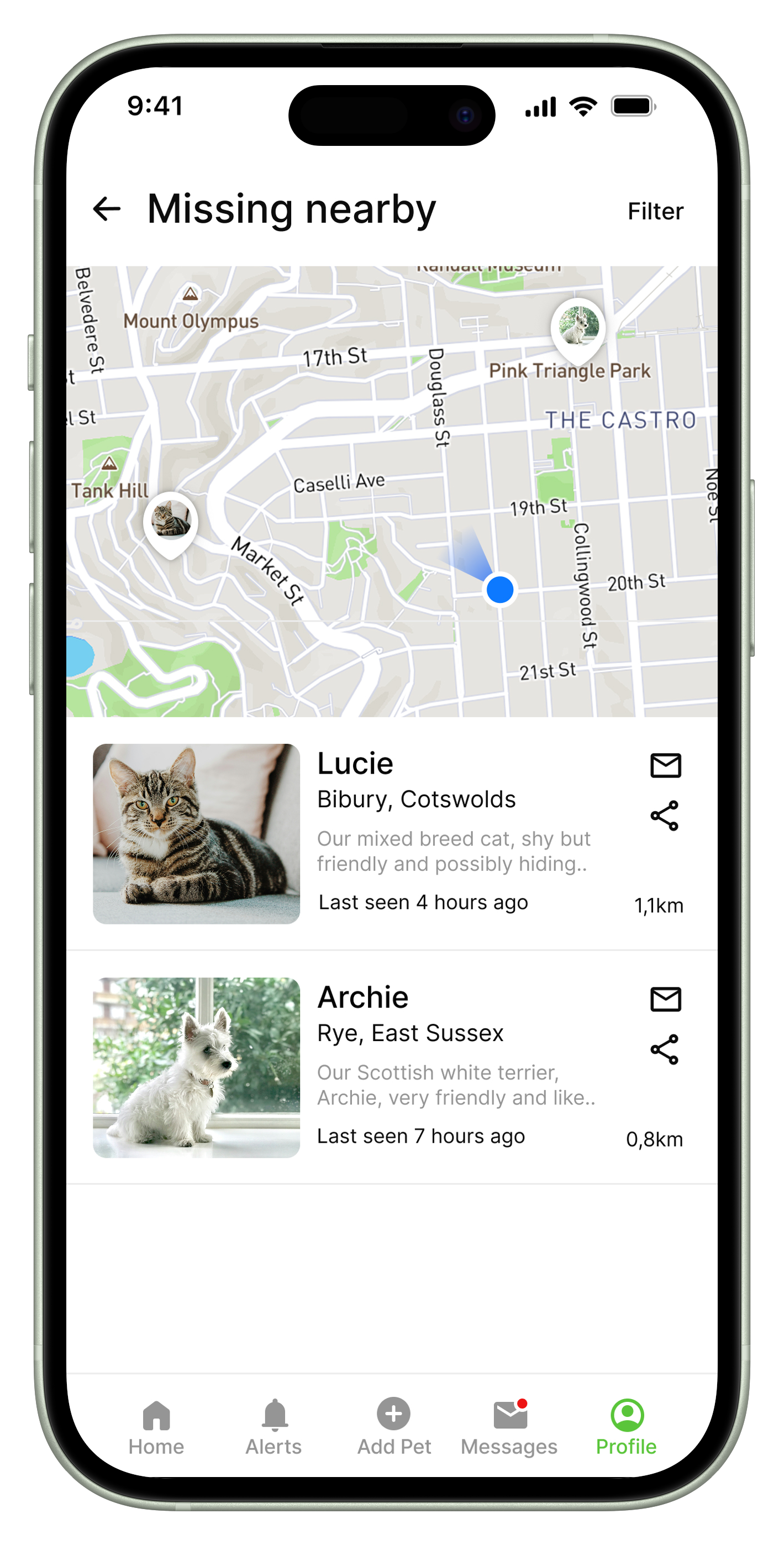
3. Missing nearby Feature
Research Insight: Lost-pet searches typically involve multiple people, and users want to alert help quickly.
Iteration: Added this feature that shows missing pets in the user’s nearby area, allowing community members to stay informed and assist in local searches.
4. Social Media Sharing
Research Insight: When searches escalate, users rely on the wider community for support.
Iteration: Integrated a “lost pet” alert sharing option to popular social platforms.
5. Battery Status Visibility
Research Insight: Trust in the device depends on knowing the tracker won’t die mid-search.
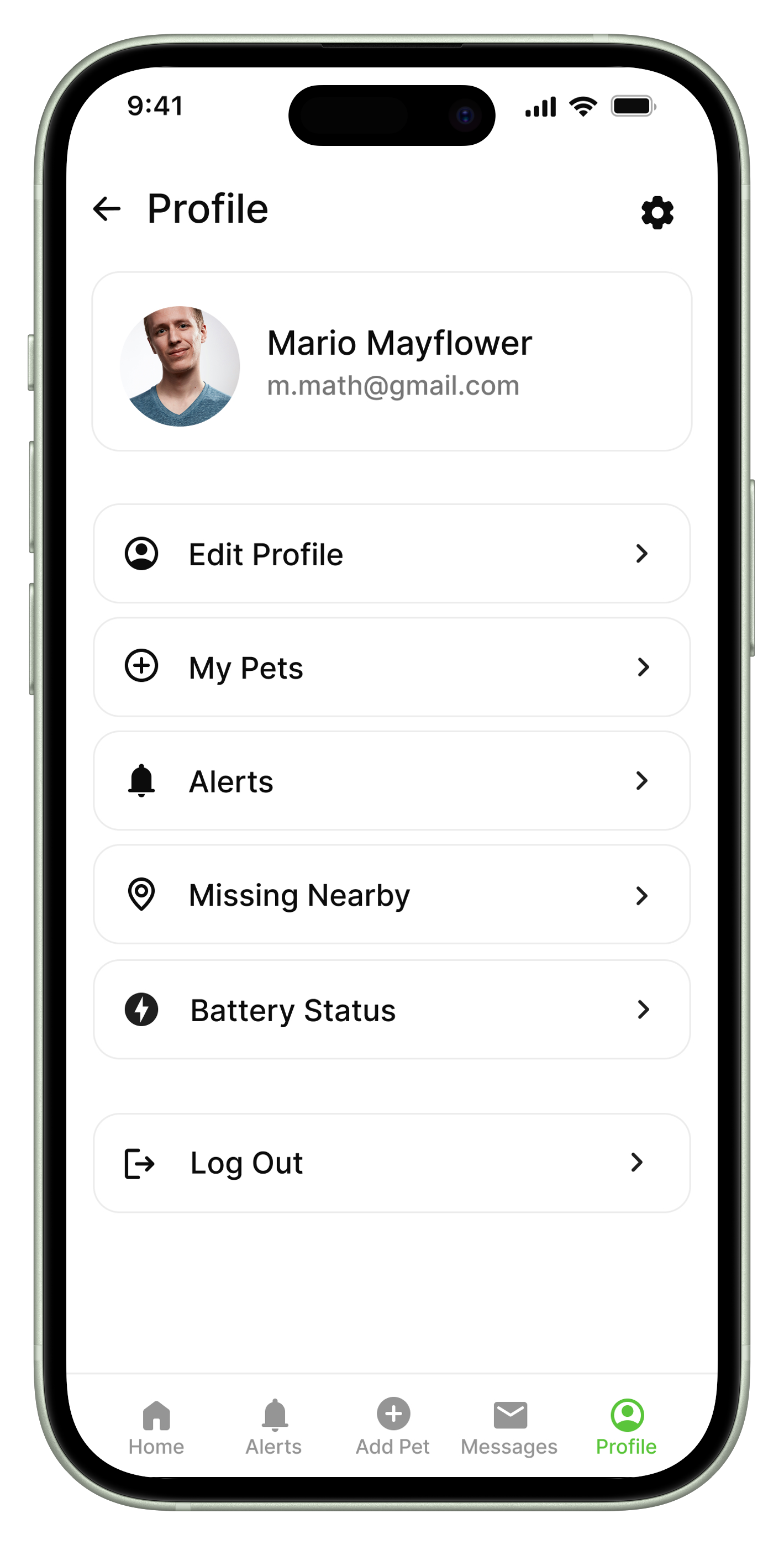
Iteration: Added real-time battery indicators and low-battery notifications with a separate Battery Status button on the Profile screen.
6. Pet Profile Setup
Research Insight: Users often manage multiple pets — or occasional pets — and need quick setup.
Iteration:Simple, flexible pet profile creation for users with diverse digital literacy.
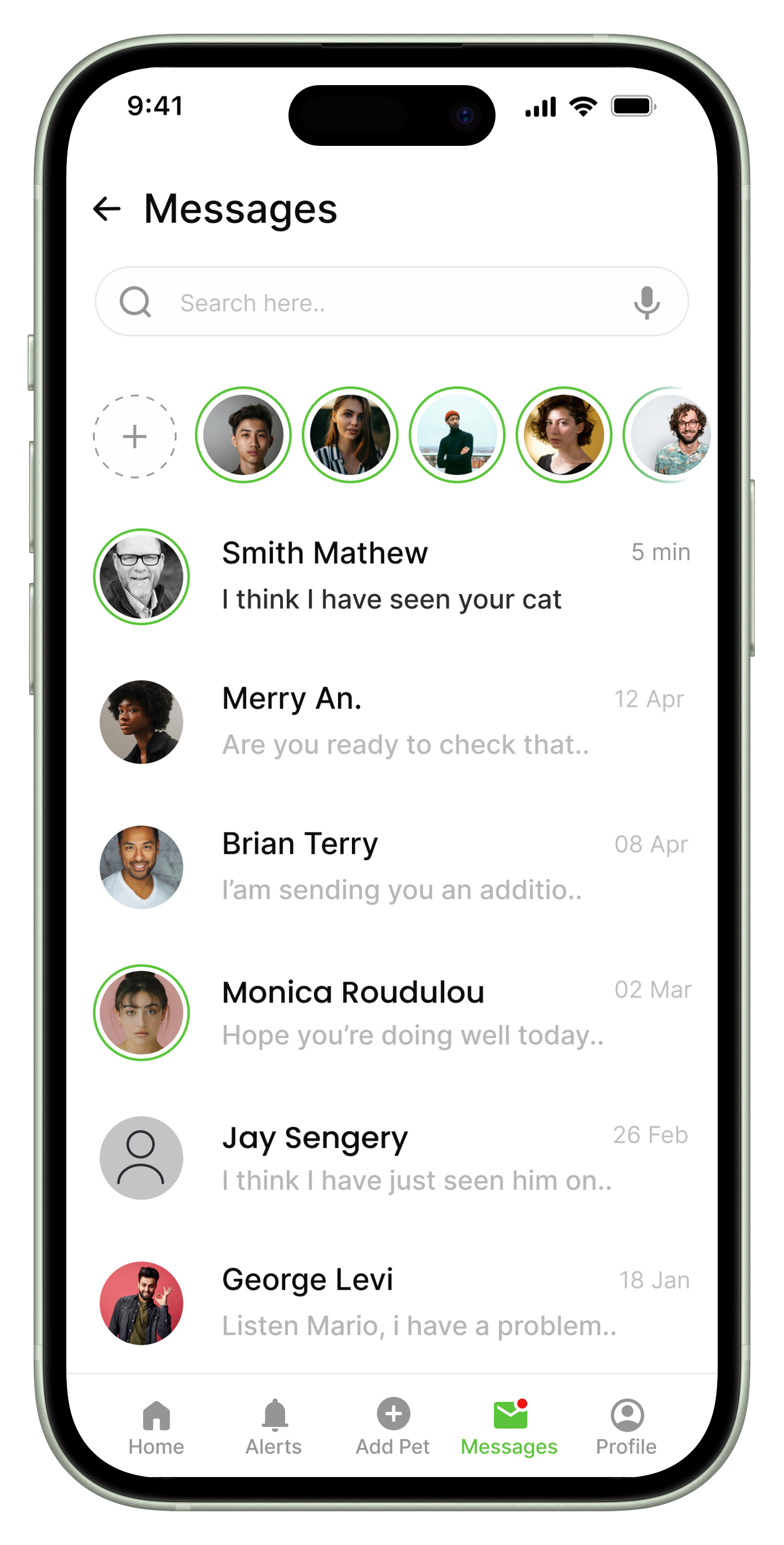
7. Messaging & Community Interaction
Research Insight: During emergencies, coordination between people is crucial.
Iteration: Enabled direct messaging and community interaction among app users.
8. “Pet Lost/Found” Feature
Research Insight: Users want clear confirmation and closure once the search ends.
Iteration: Added a distinct “Pet Found” indication on the pet profile to resolve the lost/found status.
Key Refinements
Profile screen Mockup
Outcome
These research-driven decisions resulted in a product designed around speed, clarity, and community coordination. The final feature set supports users through every phase of a lost-pet scenario — from prevention, to immediate response, to search, to recovery — ensuring reliability and confidence when it matters most.
03 Design
Find My Pet App Prototype
The Design process was grounded in user research and iterative testing, with a focus on high-stress moments such as pets escaping or going missing. Key refinements included real-time alert flows, intuitive map-based tracking, configurable safety perimeters, a streamlined interface for varying tech comfort levels, and integrated community support features—all aimed at enhancing clarity, reducing cognitive load, and delivering greater peace of mind for pet owners.
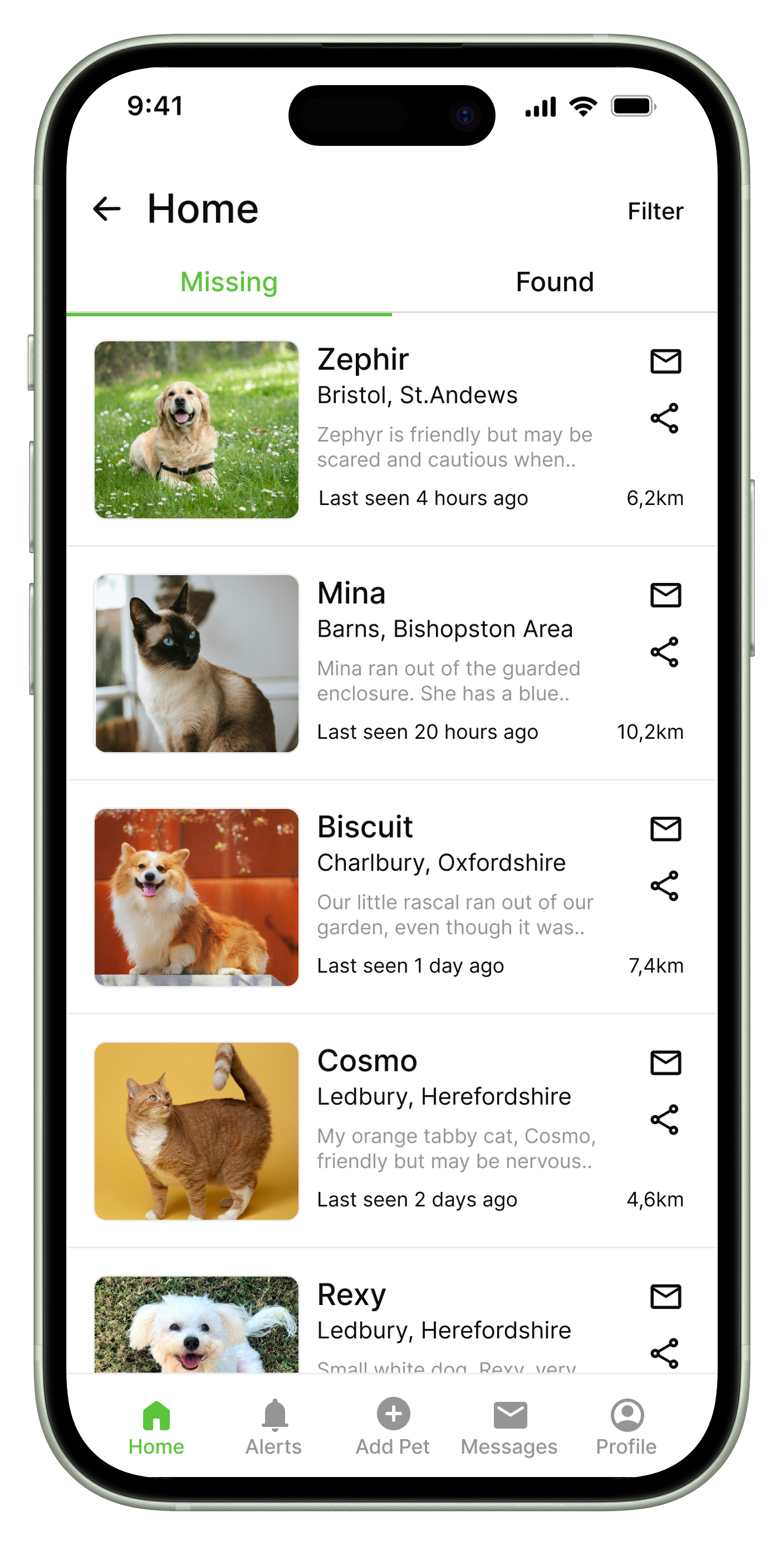
Home screen
Missing nearby screen
-
Research Insight: When searches escalate, users rely on the wider community for support.
Iteration: Integrated a “lost pet” alert sharing option to popular social platforms.
-
Research Insight: Lost-pet searches typically involve multiple people, and users want to alert help quickly.
Iteration: Added this feature that shows missing pets in the user’s nearby area, allowing community members to stay informed and assist in local searches.
-
Research Insight: Users often manage multiple pets — or occasional pets — and need quick setup.
Iteration: Simple, flexible pet profile creation for users with diverse digital literacy.
-
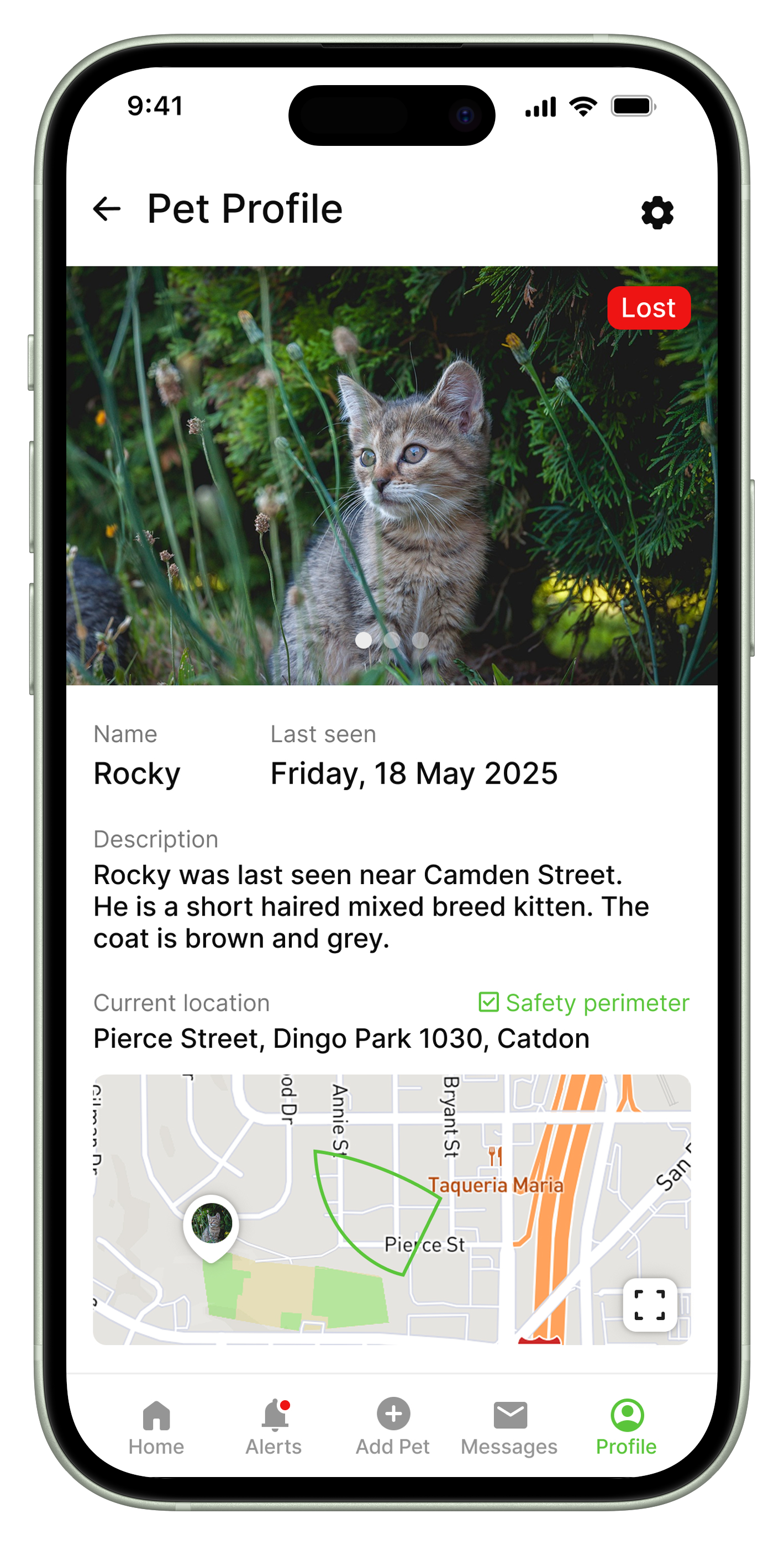
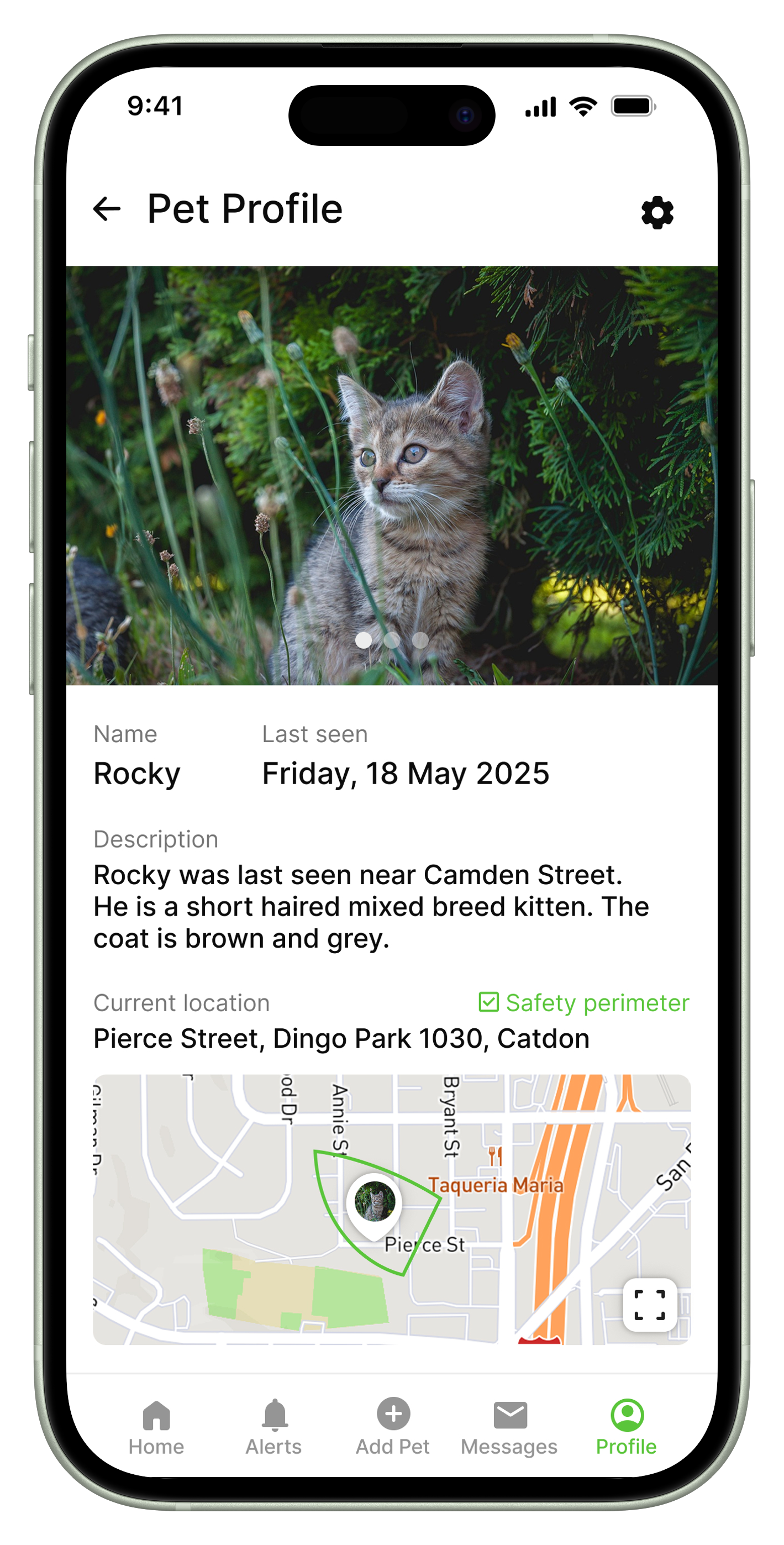
Research Insight: Users need immediate awareness when a pet escapes, as these moments are high-priority and high-stress.
Iteration: Introduced instant notifications triggered the moment a pet leaves its defined safety perimeter.
-
Research Insight: Users want clear confirmation and closure once the search ends.
Iteration: Added a distinct Lost/Found indication on the pet profile to resolve the lost/found status.
-
Research Insight: During emergencies, coordination between people is crucial.
Iteration: Enabled direct messaging and community interaction among app users.
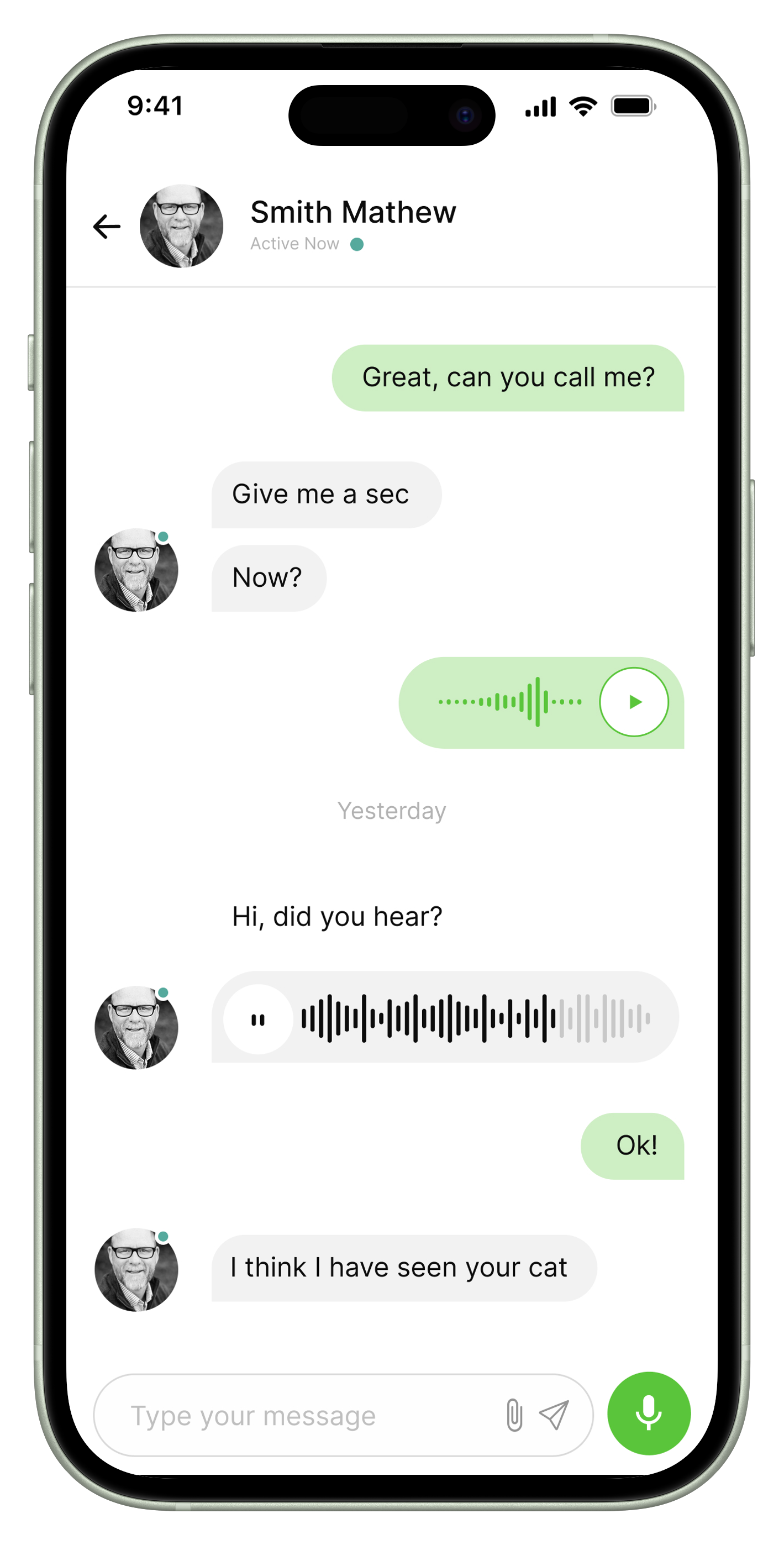
Chat screen
-
Research Insight:
Users need fast, clear, multi-format communication during high-stress lost-pet situations.Iteration:
Added a centralised chat supporting text, images, files, and voice messages for better coordination.
Profile screen/ Battery Status Button
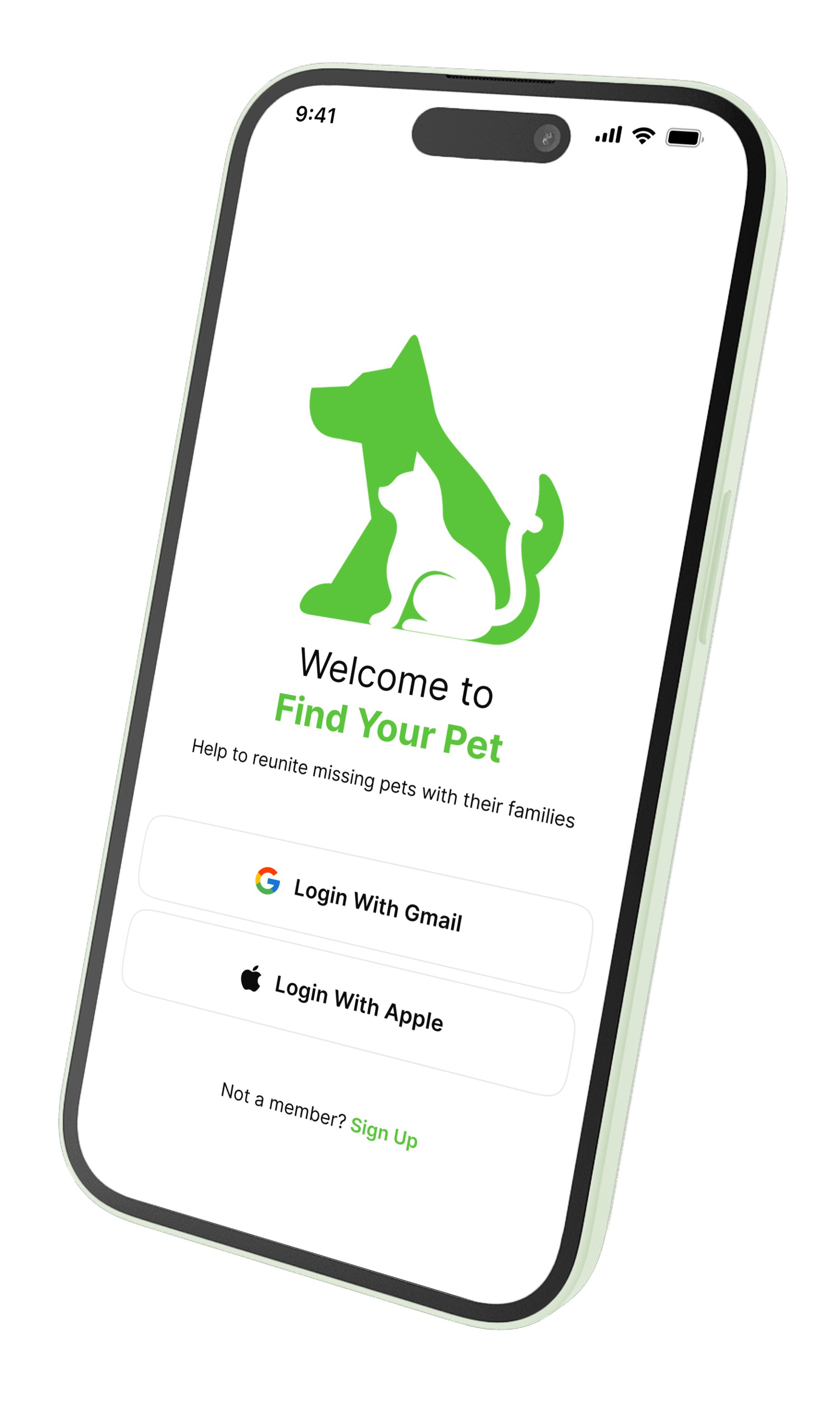
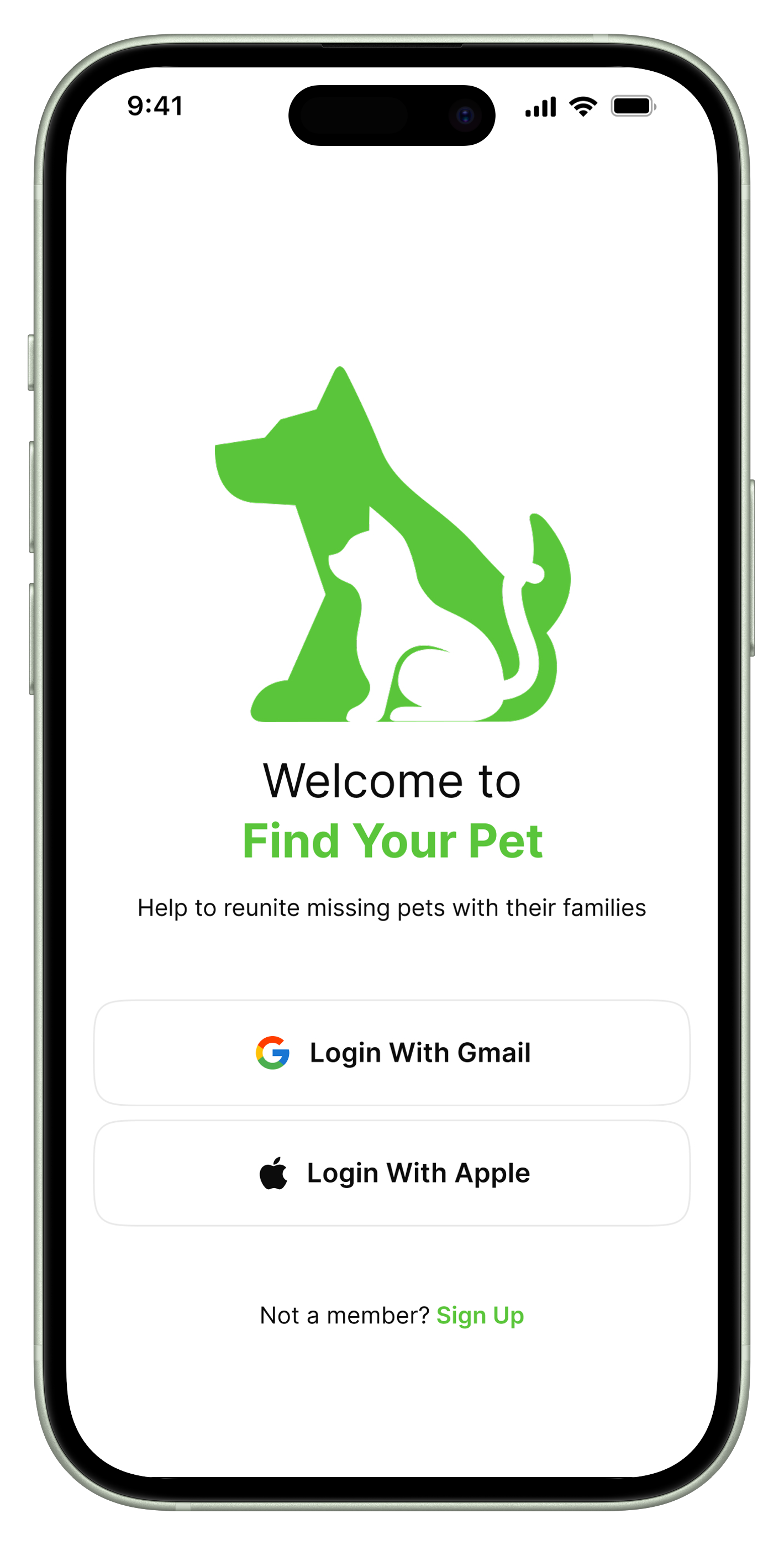
Login screen
-
Research Insight: Trust in the device depends on knowing the tracker won’t die mid-search.
Iteration: Added real-time battery indicators and low-battery notifications. with a separate Battery Status button on the Profile screen.
Lost indicator/Safety Perimeter screen/Perimeter Alert
Pet Profile screen
Messages screen/ Message Notification
Found indicator/ Safety Perimeter screen